
Elementor vs Divi in 2026: An Agency's Honest Take
Elementor vs Divi compared by a WordPress agency: ease of use, design flexibility, speed and SEO, real pricing, and which page builder to pick in 2026.
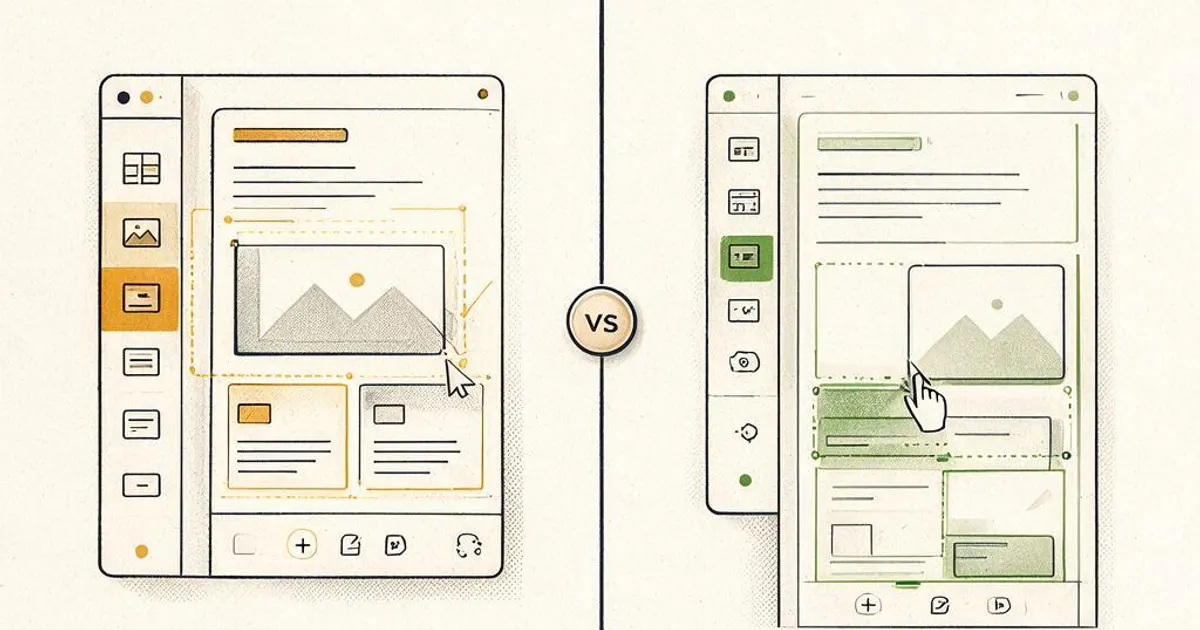
- Elementor vs Divi comes down to ecosystem versus value: Elementor has the bigger add-on library and cleaner flow, while Divi bundles theme plus builder with a one-time lifetime, unlimited-site license.
- Neither is fast by default. Both add page weight, and a site leaning on either heavily will usually lose on speed to one built without a page builder.
- For a single business site the yearly cost gap is small. Divi's lifetime deal only wins for owners building many sites.
- If speed and SEO matter more than DIY editing, a custom or lightly built WordPress site beats both.
Elementor vs Divi: the short answer
Elementor wins on ecosystem and editing flow, Divi wins on value for people who build many sites, and for a single business that cares about speed, a custom build beats both. That's the honest version before the detail.
We build WordPress sites for a living, so we've shipped and inherited plenty of both. Neither builder is bad, and either can make a site that looks the part. The real differences show up in three places: how the builder feels to edit, what it costs across the number of sites you run, and how much weight it adds to your pages. This comparison walks through each so you can pick with your eyes open, and it ends with the case for skipping page builders entirely on a site that has to perform.
What are Elementor and Divi?
Both are WordPress page builders that let you design pages visually by dragging elements onto a canvas instead of writing code. They solve the same problem in slightly different shapes.
Elementor is a plugin that works with almost any theme, giving you a widget-based drag-and-drop editor plus a large marketplace of add-ons and templates. Divi, made by Elegant Themes, bundles its own theme and a builder together, with a module-based editor and a distinctive front-end editing experience. The practical difference is that Elementor layers onto whatever theme you choose, while Divi is more of an all-in-one system. Both replace the standard WordPress editor with their own, which is exactly what creates the lock-in we cover below. If you're still deciding between WordPress and a hosted platform in the first place, our WordPress vs Wix comparison is the better starting point.
Ease of use: Elementor vs Divi
Elementor tends to feel a little more intuitive for newcomers, while Divi's front-end editor is powerful but has a steeper first hour. Both get comfortable with practice.
Elementor's panel-plus-canvas layout is close to what most people expect from a visual editor, and its huge template library means you rarely start from a blank page. Divi edits directly on the live page, which some people love and others find fiddly at first, especially when settings hide behind hover controls. Neither is hard once it clicks, but if you're a busy owner who wants to make quick edits without a learning curve, Elementor usually gets you there faster. There's also the question of who else touches the site. If a small team or a contractor will make edits, Elementor's larger community means it's easier to find someone who already knows it, while Divi's smaller but loyal user base is more specialized. That said, "easy to edit" and "easy to keep fast" aren't the same thing, and that's where the picture gets more complicated.
Design flexibility
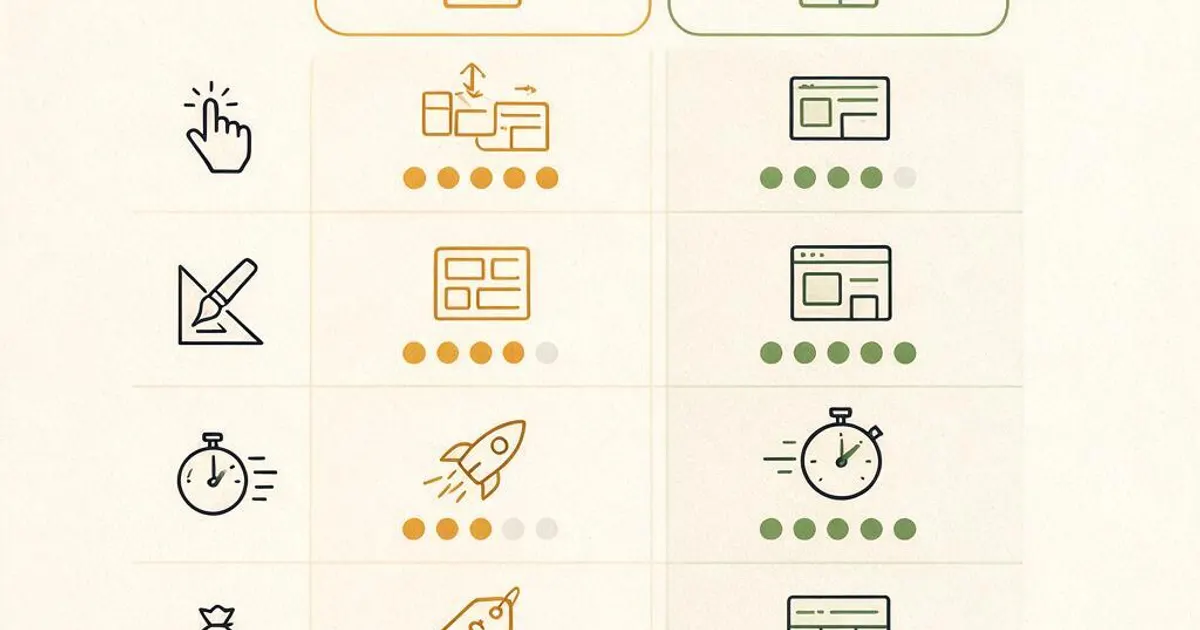
Both give you deep design control, with Divi's built-in options slightly broader out of the box and Elementor's extended through its larger add-on ecosystem. You can build almost anything in either.
Divi ships with a wide set of design controls, transitions, and preset layouts baked in, so you rarely need extra plugins to get a custom look. Elementor's core is strong too, and its advantage is the marketplace: if you want a specific widget or effect, someone has probably built it. For most business sites, both cover far more than you'll actually use. The risk with either isn't a lack of options, it's the temptation to add so many effects and sections that the page turns heavy and slow, which brings us to the part that actually affects your rankings.
One design factor people forget is consistency over time. A builder makes it easy to style one page beautifully, but keeping a whole site visually consistent as you add pages takes discipline that neither tool enforces. Both offer global styles and reusable templates to help, and using them from day one saves you from a site that drifts into a dozen slightly different looks. If you'd rather not manage that yourself, it's one of the quiet reasons a professionally built theme with locked-in styles ages better than a builder a busy owner edits in a hurry.
Speed and SEO: the part that matters most
Neither Elementor nor Divi is fast by default, and both need caching, image optimization, and restraint to hit good Core Web Vitals. This is where an agency's view differs from a typical listicle.
Every page builder adds code to do its job, and that extra weight shows up in load times and Core Web Vitals, the speed signals Google uses in ranking. In most tests the two land close, with Elementor often edging ahead on a clean install and Divi's result swinging with how many modules a page uses. The real point is bigger than which one wins by a hair: a site that leans heavily on either builder will usually lose on speed to a site built without a page builder at all. If organic traffic is a priority, this matters, and it's a core reason our WordPress web design leans toward clean, lightweight builds. For anyone redesigning an existing builder-heavy site, our redesign SEO checklist covers how to shed that weight without losing rankings.
Pricing: Elementor vs Divi
Elementor Pro is billed annually from around $59 for one site, while Divi runs about $89 a year or a one-time lifetime license near $249 for unlimited sites. The math only really diverges once you run several sites.
For a single business site, the yearly difference between the two is small enough that price shouldn't be your deciding factor. Where it matters is volume: Divi's one-time, unlimited-site license is especially appealing to agencies and owners running a portfolio of sites, since it caps the cost forever. Elementor's per-site annual model can add up across many sites but keeps you on the latest version. Weigh the license against how many sites you'll build, and remember that either subscription is a small line next to the total cost of a WordPress website once design, content, and hosting are counted.
Want a site that's fast, not just editable?
Free 45-minute call. We'll look at what you're building and tell you straight whether a builder or a clean custom build fits better. No pitch.
Which should you choose?
Pick Elementor for the ecosystem and a gentler learning curve, Divi for lifetime value across many sites, and a custom build when speed and SEO outrank DIY editing. There's no single winner, only the right fit for your situation.
If you're a hands-on owner who wants to edit everything yourself and accept some extra page weight, Elementor is the safe default thanks to its support and template library. If you build several sites and want to cap your tooling cost, Divi's lifetime license is hard to beat. But if this is the site your business depends on for leads, and organic search is part of the plan, the honest recommendation is to weigh a professionally built site that doesn't lean on a heavy builder at all. That's the path we take on most client work, and it's why a redesign off a bloated builder is one of our most common projects. Choose for where your site is going, not just how you want to edit it this month. A useful gut check: if you imagine your site two years from now with triple the pages and steady search traffic, does your builder choice still serve that version, or just today's quick edits? Answer that plainly and the decision usually makes itself, because the site that has to earn its traffic rewards restraint over flash every single time.
Frequently asked questions about Elementor vs Divi
Is Elementor or Divi better in 2026?
Neither is universally better, and they suit different owners. Elementor has the larger ecosystem, a slightly cleaner editing flow, and a bigger library of add-ons and templates, which makes it the safer pick for most people who want widely supported tools. Divi bundles a theme and builder together with a one-time lifetime license option and strong built-in design controls, which appeals to owners who build several sites. Both can produce a good-looking site, and both add weight that a hand-built site avoids. The right call depends on your budget, how many sites you run, and how much speed matters to you.
Which is faster, Elementor or Divi?
Both add meaningful page weight compared with a lightly built or custom WordPress site, and in most head-to-head tests they land close to each other on speed. Elementor has trimmed its output in recent versions and often edges ahead on a clean install, while Divi's performance depends heavily on how many modules a page uses. The honest takeaway is that neither is fast by default. Both need caching, image optimization, and disciplined use to hit good Core Web Vitals, and a site that leans on either builder heavily will usually lose to one built without a page builder at all.
How much do Elementor and Divi cost?
Elementor Pro starts around $59 a year for a single site and scales up by site count, billed annually. Divi is sold by Elegant Themes at roughly $89 a year or a one-time lifetime license near $249 that covers unlimited sites, which is what makes Divi attractive to people building many sites. Both have free or entry tiers with limits. For a single business site the yearly cost difference is small, so pricing usually only tips the decision for someone running a portfolio of sites where Divi's lifetime, unlimited-site deal adds up.
Should a small business use Elementor, Divi, or a custom build?
For a small business that wants the fastest, most maintainable site, a custom or lightly built WordPress site usually beats either page builder on speed and long-term flexibility. Page builders make sense when you want to edit everything yourself with no code and accept some extra page weight for that control. If speed, SEO, and clean handling matter more than DIY editing, a professionally built site without a heavy builder is the stronger choice. Many owners start on a builder and later move to a cleaner build once the site matters to their revenue.
Can I switch from Divi to Elementor or the other way around?
You can, but it's not a simple toggle, because each builder stores its layouts in its own format, so pages built in one don't carry over to the other and have to be rebuilt. That lock-in is a real cost people underestimate when picking a builder, and it's one reason to choose carefully up front or to consider a build that doesn't tie your content to any single builder. If you're already committed to switching, treat it like a redesign with a proper redirect and content plan rather than a quick swap.
Upcoming Brand | WordPress web design for Maryland businesses and US-wide remote clients
We build fast, maintainable WordPress sites for businesses across Baltimore, Annapolis, Frederick, Rockville, and the US, delivered remotely via Zoom and async updates. Whether you want a clean custom build or a redesign off a heavy page builder, we'll tell you what actually fits. Book a free discovery call or email hello@upcomingbrand.com.
Want a build that stays fast as it grows?
WordPress web design from an agency that builds light: clean code, real speed, and no lock-in to a bloated page builder.